Paint by number tends to be a solitary hobby — and as a solo way to unwind, it works wonderfully. But there's another dimension paper could never offer: sharing the same picture with someone else, each from your own phone, even a thousand miles apart. In Color Memories this takes three different shapes: co-op mode ("paint together"), relay, and gift mode. This guide explains how each one works, how they differ, and when to pick each one.
Paint together (co-op): the same picture, in real time
Co-op mode turns a picture into a shared room. Here's how it works:
- You generate a picture from a photo, as usual, and choose "paint together."
- The app creates a room with an invite code; you send it to the other person via WhatsApp or however you like.
- Once they join with the code, the picture is split: each participant is assigned their own zones (roughly half each), distinguishable on screen.
- You both paint at the same time, each from your own device, and the other person's progress appears on your screen in real time.
Splitting the zones is what makes it feel cooperative: you can't step on each other (each zone belongs to someone), so the picture genuinely progresses between the two of you and the finished result is a shared achievement. When it's complete, you both see the celebration and the timelapse, with each person's contributions woven together.
You don't need to be online at the same time: if your partner paints while you're away, their zones will show up painted the next time you open the picture. Ideas our users repeat: grandparents and grandchildren with a family photo, long-distance couples with photos from their last trip, or simply two friends chatting on a video call while they paint.
Relay: the same challenge, in turns
Relay is the friendly-competitive variant: instead of painting the same canvas simultaneously, the challenge passes from hand to hand. One person finishes their part and "hands off" to the next. It's the natural format when what you feel like doing isn't collaborating on a single picture but challenging each other: comparing times, needling each other a bit, and giving everyone their own moment in the spotlight. It works especially well in groups (family, friend group) where coordinating in real time is hard, but a "your turn" over WhatsApp flows naturally.
Gift mode: a surprise picture with a dedication
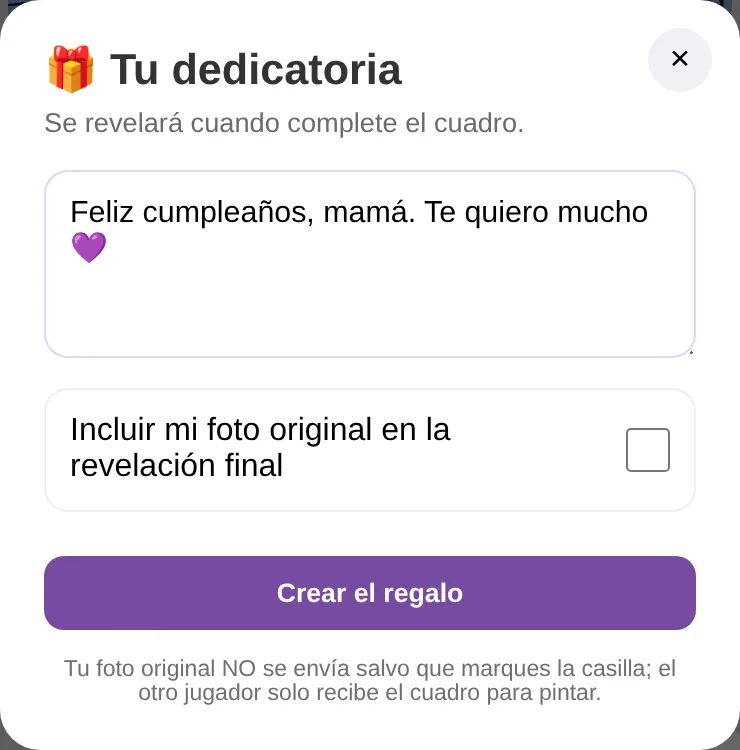
Gift mode flips the mechanic around: here the fun part is that the other person doesn't know which photo it is. You prepare the picture with a special photo (a photo of you together, their pet, a moment you shared), write a dedication that will show when they receive it, and send them the link. The person paints the picture without seeing the original photo: the image gets revealed zone by zone as they paint, and the dedication caps off the surprise.
It's by far the mode with the most emotional weight in the app — in fact it's how the whole thing started: the first version of Color Memories was a personal gift before it was a product. As a gift idea it works for birthdays, anniversaries, Valentine's Day, or "just because"; there are more concrete ideas in personalized gift ideas.
Which one should I pick? Quick cheat sheet
- We want to do something together, no rush: paint together (co-op).
- We want to needle each other / there are several of us: relay.
- I want to move someone: gift mode.
- I just want to disconnect on my own: the classic solo mode — and maybe levels mode if progression challenges motivate you.
Frequently asked questions
Does the other person need an account? For the shared modes, yes, signing in (free) is required: the room stores each participant's progress in the cloud to sync devices, and that requires knowing who's who.
Do we need to be in the same place or country? No: it all runs over the internet. Each person paints from their phone or computer, wherever they are.
What happens if my connection drops while I'm painting? Nothing serious: your taps are saved locally and sync once you're back online. The picture converges — you both end up seeing exactly the same thing.
Can I choose the difficulty in the social modes? Yes, same as in solo mode. For paint-together we recommend hard or expert: with more zones the split looks better and the session lasts longer. For a gift, medium tends to be the sweet spot so the reveal is exciting without dragging on forever.
Create a room and paint together →