A custom paint by number is a numbered picture made from your photo instead of a catalogue landscape: your dog, that trip, your family. There are three ways to get one, and they compete less than it seems: each fits a different moment.
1. The custom kit
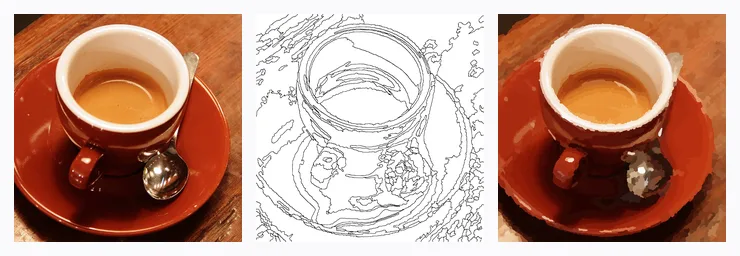
You send your photo to a shop and a few days later you receive a canvas with the numbered drawing printed on it, numbered pots of acrylic paint and brushes. It is the best-known option and it has a lot going for it: it is a real object, you paint it with a brush on canvas, and it is ready to hang.
What is worth knowing before you order one:
- You do not see the result until it arrives. How many colors it will have, how small the areas will be or whether your photo survives the conversion is up to the manufacturer.
- You have to wait for delivery and, if the photo was not a good fit, there is no going back without paying for another.
- It usually costs several tens of euros or dollars, more for a large size or a frame.
2. The app: your photo converted in seconds
With Color Memories you upload the photo from your phone or computer and a few seconds later you have the numbered picture, free and with nothing to install (there is also an Android app). You paint by tapping: pick a color from the palette and tap its areas.
- You see the result before you start and, if the photo does not work, you try another.
- You choose the difficulty: from Easy (a few large areas) to Expert (hundreds of areas and the closest likeness to the photo). More in how to choose difficulty.
- When you finish you get the timelapse of how it was painted and a vertical video ready to share.
The limitation is obvious: it is digital. For anyone who wants to paint with a real brush, there is the third option.
3. Print it yourself: the free sheet
The same picture from the app can be printed to paint by hand: one page with the numbered drawing and another with the color list (each number with its swatch and color code) and a thumbnail of the finished picture for reference. Print it at home or at a print shop, on whatever paper you like, and paint it with colored pencils, markers, watercolor or acrylic. We explain it step by step in printable paint by number.
Quick comparison
| Custom kit | App | Printed sheet | |
|---|---|---|---|
| Cost | Several tens of euros or dollars | Free | Whatever printing and paint cost |
| When you start | When the parcel arrives | Right away | Right away |
| See the result first | No | Yes | Yes (thumbnail included) |
| Choose difficulty | Depends on the shop | Yes, four levels | Yes, four levels |
| Result | Painted canvas | Digital picture + video | Hand-painted sheet |
So which one should I choose?
- To try it out or to paint today: the app. It is free and in a couple of minutes you know whether your photo works.
- To paint by hand without waiting: the printed sheet. And if you enjoy it, you will know which photo deserves a canvas.
- To hang a canvas on the wall: the kit. A good trick is to try the photo in the app first: if the digital picture convinces you, the kit will too.
The photo is everything
Whichever option you choose, the result depends on the photo: good light, a large and sharp subject and a simple background. There are examples in which photos work best.
Doing it with Color Memories, step by step
- Go to colormemoriesapp.com (or the Android app) and tap create.
- Choose the photo and crop it if you like.
- Choose the difficulty: Easy or Medium to start.
- Paint it on your phone… or tap the print button and paint it on paper.
- When you finish, share the video or save the high-resolution image.