Classic paint-by-number kits come with a canvas, numbered paints, and a fixed motif chosen by the manufacturer. Color Memories does the same thing, but online, free to start, and with the photo you choose instead of a generic design.
How does it work with no install?
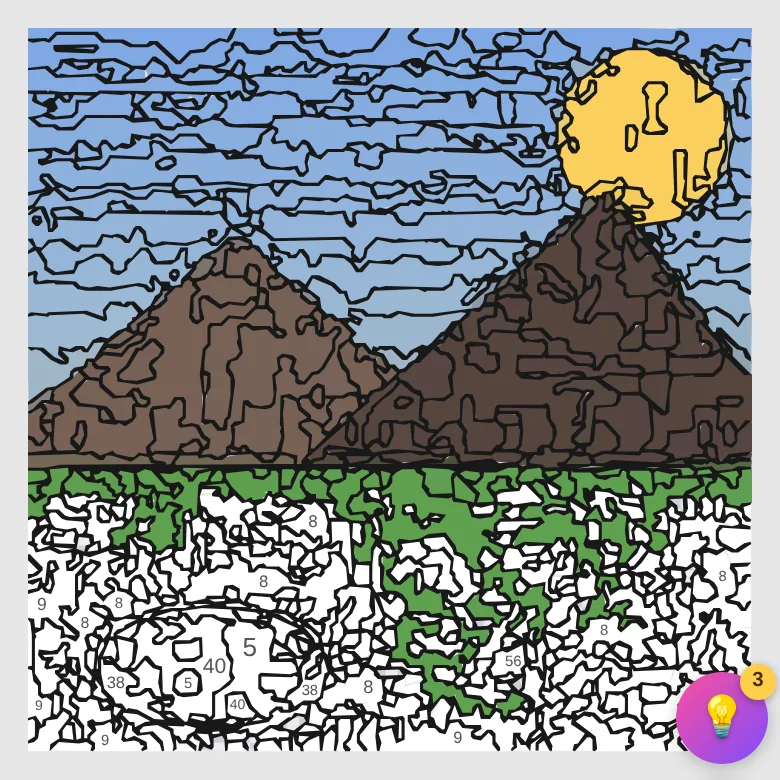
It all happens in the browser: you upload the photo, the generator turns it into a numbered picture, and you paint by tapping each zone with its matching color. No app to download, no app store to go through; it works the same on phone, tablet or computer. If you want it handy, you can install it as a shortcut straight from the browser (PWA), but that's optional.
What does "free" mean here?
You can create your first picture with no need to register. With a free account you can keep creating unlimited pictures, and your creations stay saved so you can pick them up on any device.
Advantages over a physical kit
- With your own photos: family, pets, trips — not pre-made designs.
- No waiting for deliveries or buying paints: the picture is ready in seconds.
- Progress saved automatically; you can pause and resume whenever you like.
- A shareable timelapse when you finish, something a physical canvas can't give you.
- Four difficulty levels (40 to 100 colors) to adapt it to each photo and how much time you want to spend.
Does it work well on mobile?
Yes, it's built mobile-first: you tap each numbered zone with your finger just like you would with a brush on a canvas, with zoom for the smallest zones and hints if you get stuck.
What about other "color by number" apps?
Most coloring-by-number apps work off a catalog: you pick from pre-designed sheets (mandalas, animals, scenes) that other people are also painting. They're great for passing the time, but the result doesn't mean anything personal. Color Memories' core difference is that you're the catalog: every picture is born from one of your own photos, so no two are alike, and finishing one gives you a different kind of reward — you've "repainted" your own memory, not a stock sheet. Beyond that, there are practical differences too: no unlocking sheets or watching an ad per drawing, and the generated picture is vector-based (infinite zoom with no pixelation).
What your account saves (and what it doesn't)
With a free account, your pictures and your progress sync: you can start on your phone on the couch and finish on your computer. What's never uploaded is your original photo — it stays only on your device, by design. You can also export your data or delete your account and everything tied to it from settings, with no need to go through support: we explain it in the privacy policy.
Beyond painting solo
Once you get a taste for it, there are three ways to share the hobby without leaving the app: paint together mode (the same picture between two people, in real time, each with their own zones), relay (a challenge that passes from hand to hand), and gift mode (a surprise picture that the other person paints without knowing which photo it is, dedication included). You have the full guide in painting together online. And if progression challenges motivate you, levels mode turns four of your photos into a ladder of difficulty with locks.
Quick questions
Does it work offline? To paint an already-generated picture, yes; to generate a new one you need a connection (the conversion happens on our server).
How many pictures can I create? With an account, as many as you like, with a reasonable daily generation limit to keep the free service running.
Does any photo work? Any reasonable JPG or PNG works; the result depends mostly on the photo — there are concrete tips in which photos work best.
Is there an app in the stores? The web version already works as an installable app (PWA); a native Android app is on its way.
Start painting for free →